Your laptop webcam is making you look worse than you deserve. The best webcams for remote work in 2026 deliver sharp video, accurate colours, and reliable autofocus that keeps you looking professional whether you’re in a bright office or a dim spare room.
#1. Logitech MX Brio 705
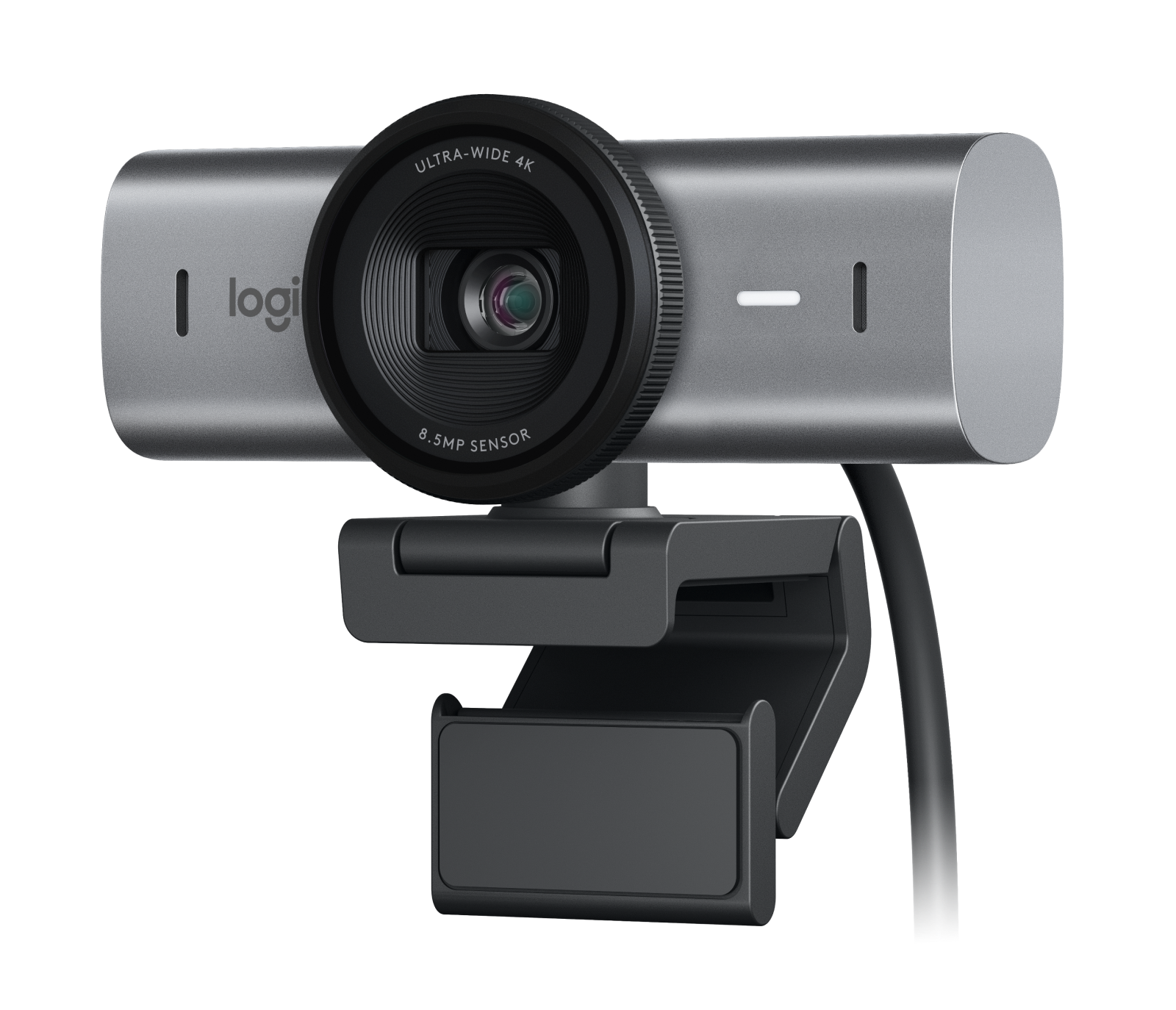
The Logitech MX Brio 705 is the definitive remote work webcam. With 4K resolution, AI-powered light correction, and Show Mode that lets you display documents to meeting participants, it handles every remote work video scenario beautifully.
Key Specs
- Resolution: 4K Ultra HD (up to 30fps) or 1080p (60fps)
- FOV: 90° adjustable
- Autofocus: AI-powered with face/eye tracking
- Low Light: RightLight 4 with HDR
- Connectivity: USB-C
- Privacy: Physical shutter
Pros & Cons
- ✅ Outstanding 4K clarity for professional video
- ✅ AI light correction handles dim and bright rooms
- ✅ Show Mode points camera down to display desk documents
- ✅ Physical privacy shutter built in
- ❌ Premium price
- ❌ 4K requires strong internet for streaming
Verdict
The Logitech MX Brio 705 is the best webcam for remote workers who spend significant time on video calls. The AI features make you look great in nearly any lighting condition.
#2. Elgato Facecam Pro
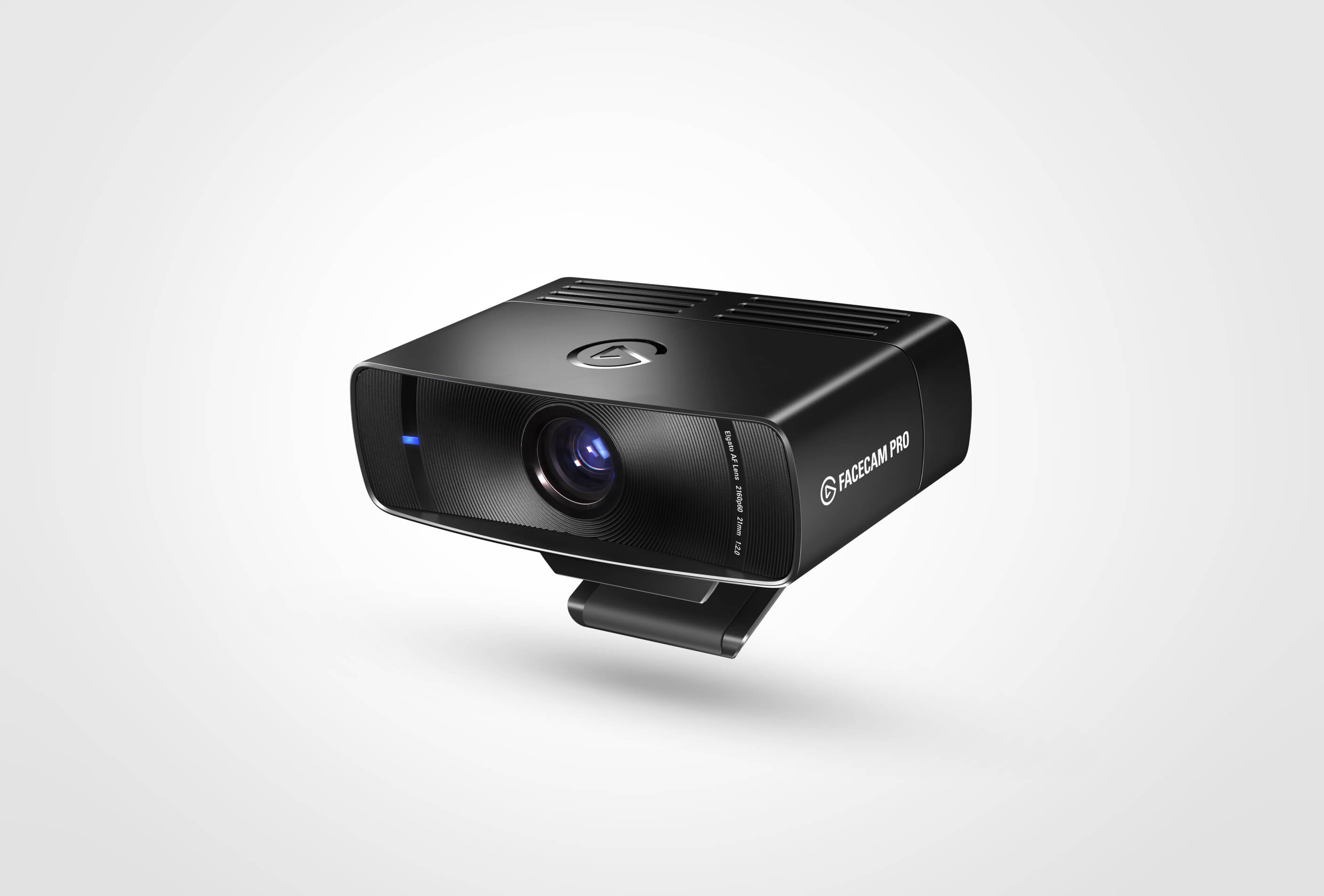
The Elgato Facecam Pro is a 4K60 webcam with a large Sony sensor and manual control software that gives you DSLR-like control over your video. Popular with content creators and remote workers who want the absolute best image quality.
Key Specs
- Resolution: 4K at 60fps
- Sensor: 1/1.8″ Sony STARVIS 2
- FOV: 90° (adjustable 65°–105°)
- Autofocus: PDAF (phase detection)
- Connectivity: USB-C (USB 3.0)
- Software: Camera Hub for manual control
Pros & Cons
- ✅ 4K60 — smoothest video of any webcam tested
- ✅ Large sensor performs brilliantly in low light
- ✅ Camera Hub gives manual ISO, shutter, white balance control
- ✅ Solid build quality with aluminium body
- ❌ No built-in microphone
- ❌ Expensive
Verdict
The Elgato Facecam Pro is for remote workers who want DSLR-quality video on calls and content creation. Pair it with a separate mic for a broadcast-quality home studio setup.
#3. Logitech C920x HD Pro Webcam
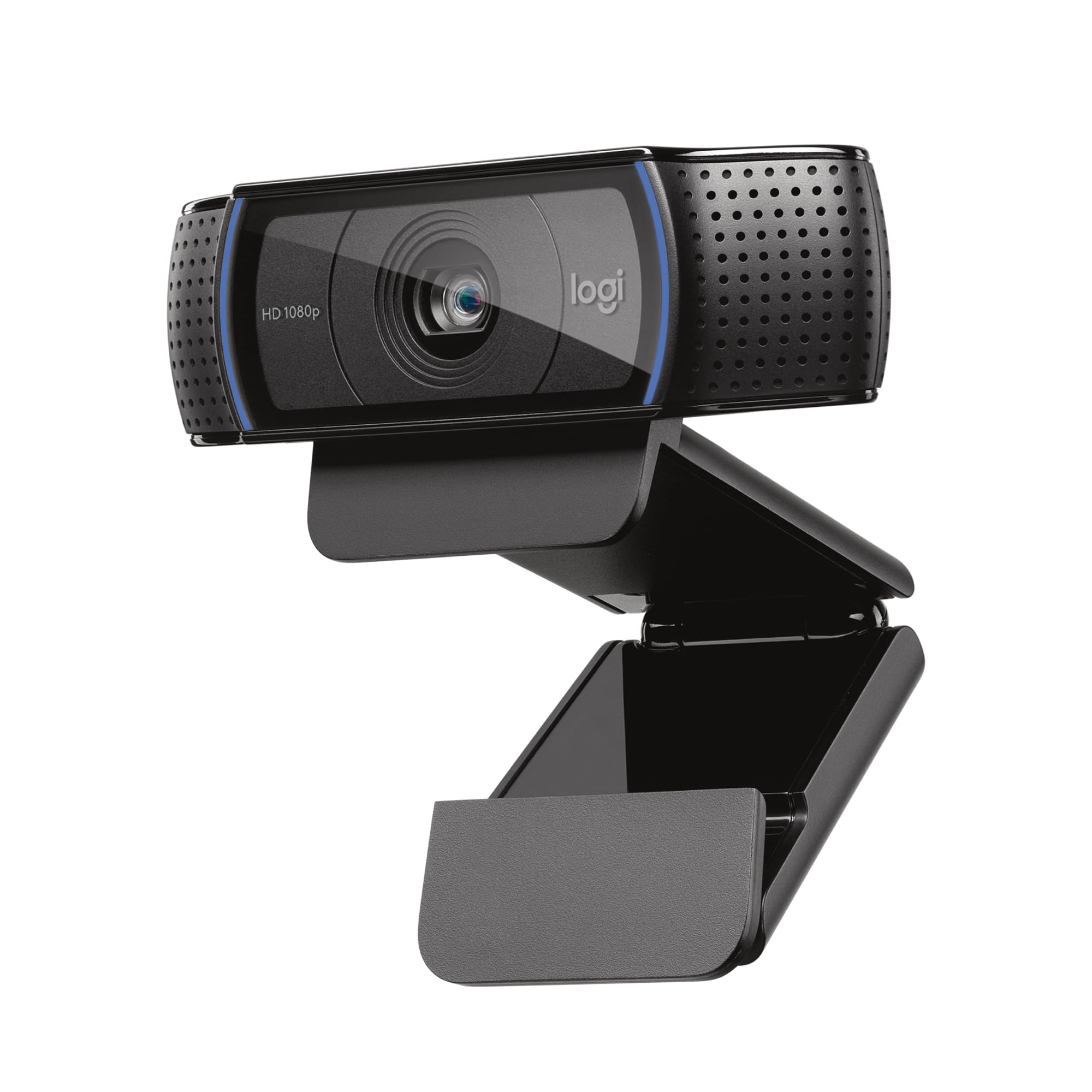
The Logitech C920x has been the gold standard budget webcam for years, and it still earns its place in 2026. Full 1080p at 30fps, dual stereo mics, and universal compatibility make it the safest upgrade from a built-in laptop cam.
Key Specs
- Resolution: 1080p at 30fps
- FOV: 78°
- Autofocus: Autofocus with light correction
- Microphone: Dual stereo mics
- Connectivity: USB-A
- Privacy: Physical lens cap included
Pros & Cons
- ✅ Proven reliability — used by millions of remote workers
- ✅ Great value for 1080p quality
- ✅ Works with every platform and OS
- ✅ Included lens cap for privacy
- ❌ Not 4K — showing age vs newer models
- ❌ Low light performance below premium models
Verdict
The C920x remains the best budget webcam for remote workers in 2026. If you want a reliable upgrade without spending much, this is a no-brainer choice.
#4. Razer Kiyo Pro Ultra
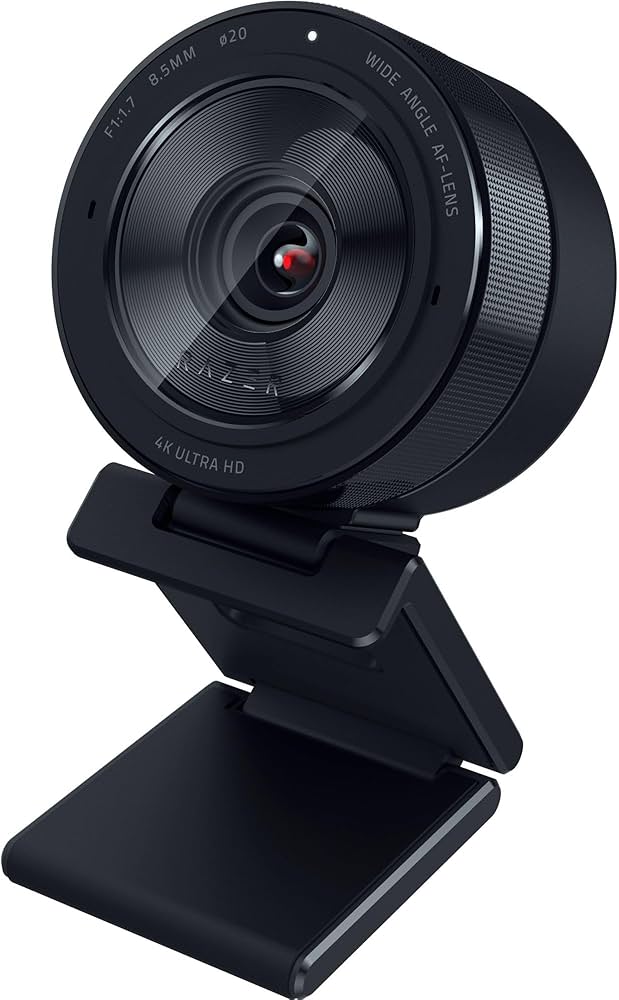
The Razer Kiyo Pro Ultra uses a Sony 1/1.2″ sensor — one of the largest in any webcam — for exceptional low-light performance. If your home office has challenging lighting, this webcam will make you look great even in near-darkness.
Key Specs
- Resolution: 4K at 30fps / 1080p at 60fps
- Sensor: 1/1.2″ Sony STARVIS 2
- FOV: 82°/94°/103° switchable
- Autofocus: PDAF with HDR
- Connectivity: USB-C
- Software: Razer Synapse for full control
Pros & Cons
- ✅ Best low-light performance of any webcam tested
- ✅ Switchable FOV for flexibility
- ✅ Excellent detail in 4K mode
- ✅ Background removal and HDR support
- ❌ Razer Synapse software can be heavy
- ❌ Expensive
Verdict
If your home office is dimly lit, the Razer Kiyo Pro Ultra’s massive sensor is the answer. It makes dark rooms look bright and professional without additional lighting equipment.
#5. Anker PowerConf C200
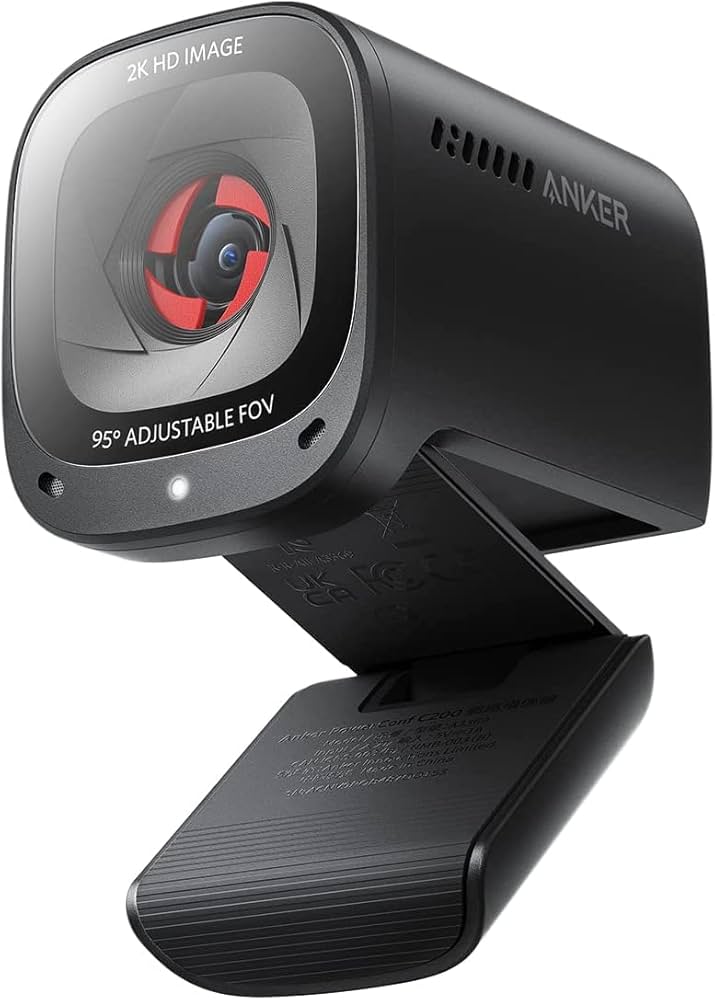
The Anker PowerConf C200 is the best budget-friendly 2K webcam for remote workers who want a noticeable upgrade over 1080p without breaking the bank. Simple, reliable, and compatible with every major video conferencing platform.
Key Specs
- Resolution: 2K (2560×1440) at 30fps
- FOV: 65°/78°/95° switchable
- Autofocus: AI-powered autofocus
- Microphone: Dual omni-directional mics
- Connectivity: USB-A
- Privacy: Built-in physical cover
Pros & Cons
- ✅ 2K resolution at a budget price
- ✅ Adjustable FOV for different room setups
- ✅ Privacy cover included
- ✅ Works across Zoom, Teams, Meet without software
- ❌ Low-light performance average
- ❌ Mic quality below dedicated headset
Verdict
The Anker PowerConf C200 delivers 2K clarity at an entry-level price. For remote workers who want better-than-1080p quality without a premium investment, this is the smart buy.
Final Thoughts
Investing in a quality webcam signals professionalism to colleagues and clients on every call. The Logitech MX Brio 705 is the all-around best, the Elgato Facecam Pro wins on image quality, and the C920x delivers reliable 1080p on a budget. Pick your budget, upgrade from the built-in cam, and immediately look more credible on video in 2026.