Remote work gives you freedom — but that freedom can quickly turn into distraction and disorganisation without the right tools. The best productivity apps for remote workers in 2026 help you manage tasks, stay focused, communicate clearly, and ship work on time. Here are our top picks.
#1. Notion
Notion is the all-in-one workspace that remote workers swear by. It combines notes, databases, project management, and wikis into a single app — eliminating the need for four separate tools and keeping everything in one searchable place.
Key Features
- Workspace: Notes, wikis, databases, kanban boards all in one
- AI: Notion AI for drafting, summarising, and editing content
- Templates: Thousands of community templates
- Collaboration: Real-time multi-user editing
- Platforms: Web, Mac, Windows, iOS, Android
- Price: Free tier; Plus from $10/month
Pros & Cons
- ✅ Replaces multiple apps — notes, tasks, databases, docs
- ✅ Incredibly flexible and customisable
- ✅ AI features genuinely useful for writing and summarising
- ✅ Great for team wikis and knowledge bases
- ❌ Steep learning curve for new users
- ❌ Can be slow on large databases
Verdict
Notion is the Swiss Army knife of remote work productivity apps. Once you learn it, you’ll wonder how you managed without it. Start with a template and build from there.
#2. Todoist
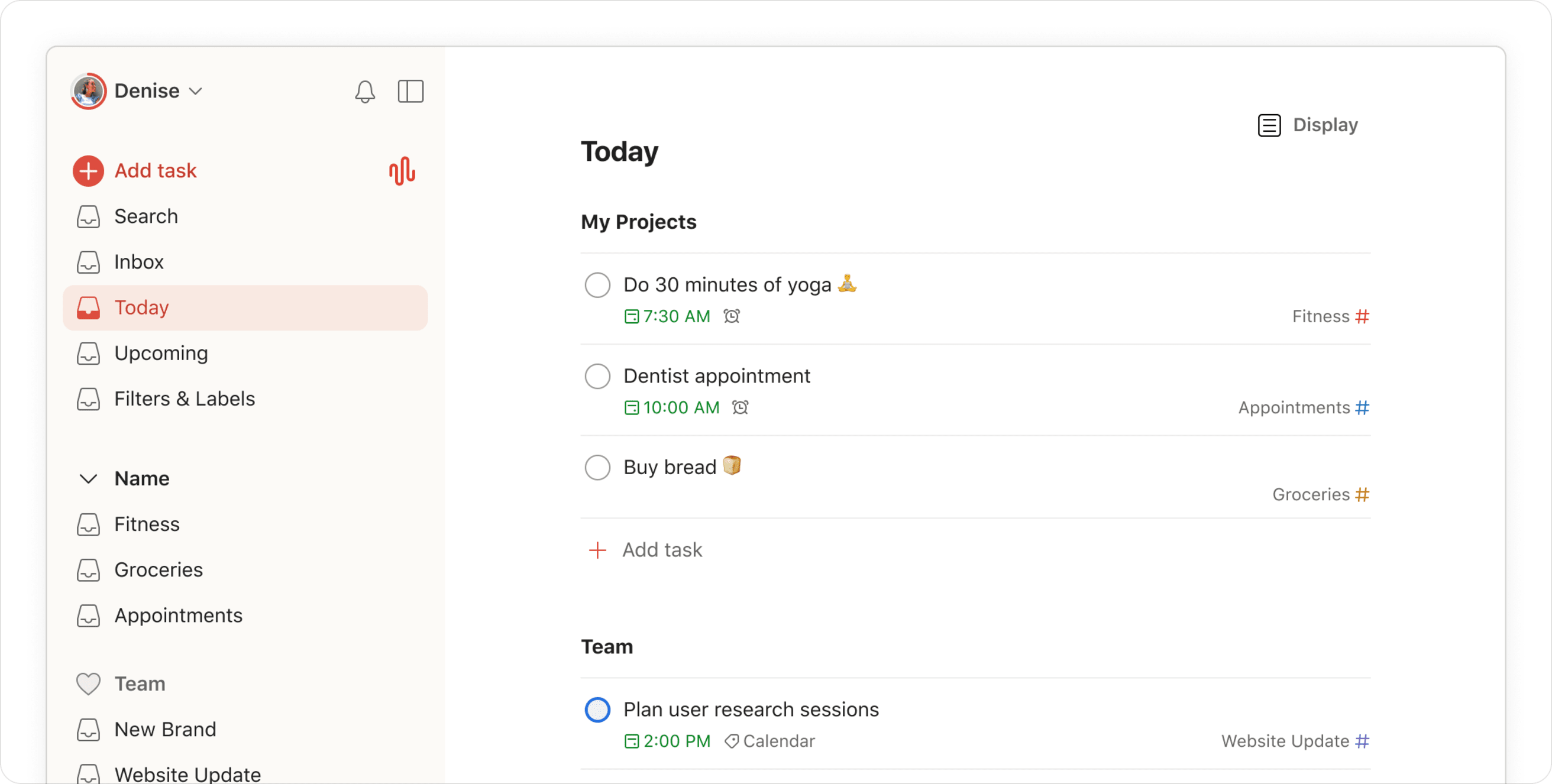
Todoist is the best dedicated task manager for remote workers. Simple enough to use daily without friction, but powerful enough for complex project management with priorities, labels, filters, and team collaboration features built in.
Key Features
- Tasks: Natural language input (“Monday at 9am”), recurring tasks
- Projects: Kanban and list views, sections, sub-tasks
- Priorities: P1–P4 priority system
- AI: AI task breakdown and smart scheduling
- Integrations: Slack, Google Calendar, Gmail, 60+ apps
- Price: Free tier; Pro from $4/month
Pros & Cons
- ✅ Natural language task input is fast and intuitive
- ✅ Works across all platforms seamlessly
- ✅ Karma system gamifies productivity
- ✅ Excellent integrations with other tools
- ❌ Best features behind Pro paywall
- ❌ Limited note-taking within tasks
Verdict
Todoist is the best task management app for remote workers who want simplicity and power. If you live by your task list, this is the app to upgrade to in 2026.
#3. Forest — Focus & Pomodoro Timer
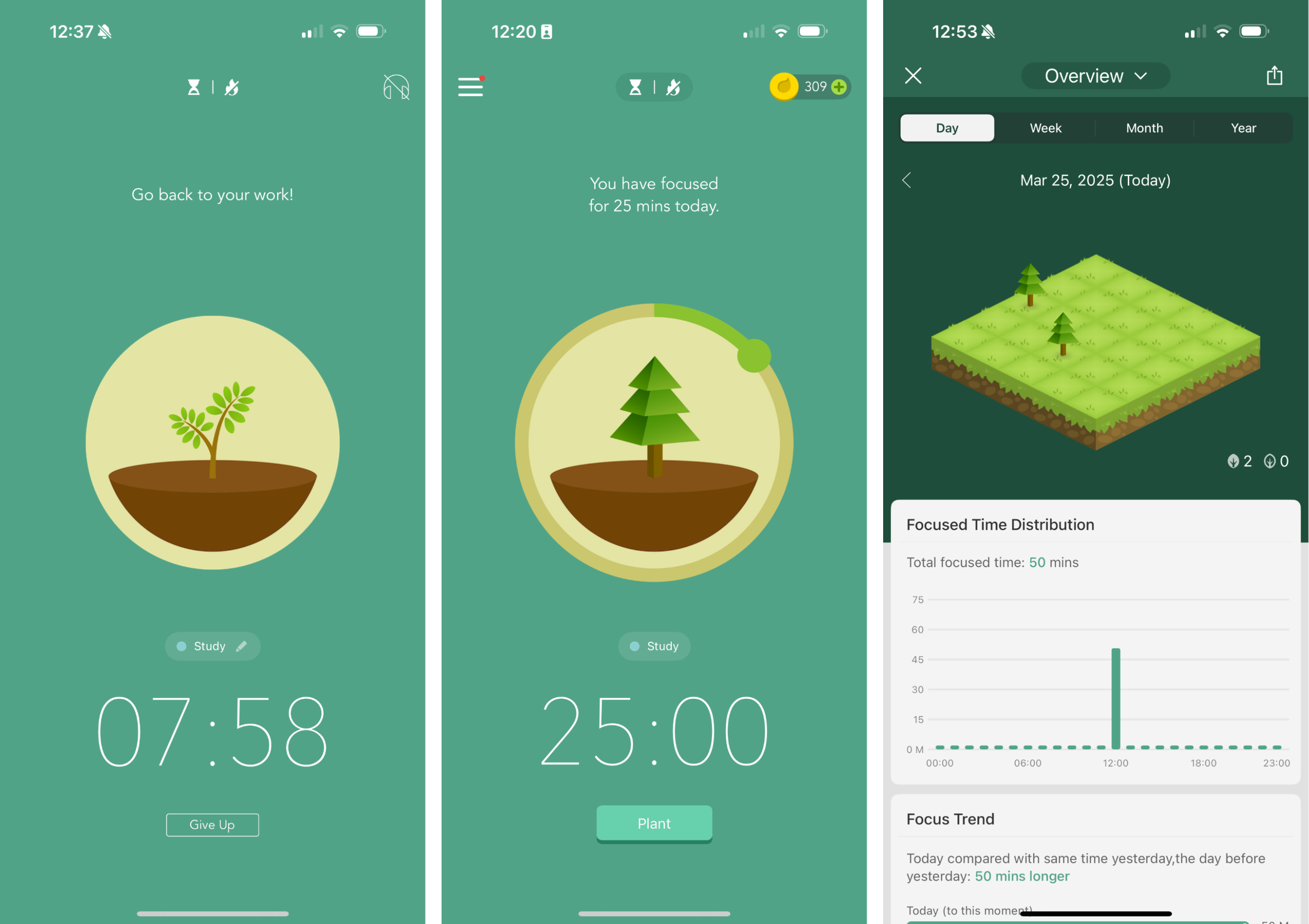
Forest gamifies focus sessions by growing a virtual tree while you work. Leave the app and your tree dies. It’s a surprisingly effective technique for beating phone distraction — and the app also plants real trees through donations, making staying focused feel meaningful.
Key Features
- Method: Pomodoro-style focus sessions (customisable length)
- Gamification: Virtual forest grows with completed sessions
- Block List: Block distracting websites during sessions
- Stats: Daily/weekly focus time tracking
- Real Trees: Earned coins fund real tree planting
- Price: $1.99 one-time (iOS/Android); web version free
Pros & Cons
- ✅ Simple, effective anti-distraction tool
- ✅ Visual progress motivates longer focus sessions
- ✅ Environmental impact adds extra motivation
- ✅ Cross-device syncing
- ❌ Novelty wears off for some users
- ❌ Limited desktop app compared to mobile
Verdict
Forest is the best focus app for remote workers who struggle with phone distraction. The gamification works. Try it during your first few Pomodoro sessions and watch your focus improve.
#4. Slack
Slack remains the gold standard for remote team communication in 2026. Channels keep conversations organised, Huddles enable quick audio calls, and the deep integration ecosystem connects your entire tool stack into one communication hub.
Key Features
- Channels: Organised topic-based conversations
- Huddles: Lightweight audio/video calls
- Search: Powerful message and file search
- Integrations: 2,400+ app integrations
- AI: Slack AI summarises channel threads and recaps
- Price: Free tier; Pro from $7.25/month
Pros & Cons
- ✅ Industry standard — most remote companies use it
- ✅ Deep integration with project and dev tools
- ✅ AI summaries reduce message overwhelm
- ✅ Huddles replace unnecessary video calls
- ❌ Can become a distraction if not managed well
- ❌ Free tier limits message history to 90 days
Verdict
Slack is the essential remote team communication platform. If your team is on Slack, being good at using it — channels, threads, status updates, DND hours — is a superpower for remote work productivity.
#5. Toggl Track
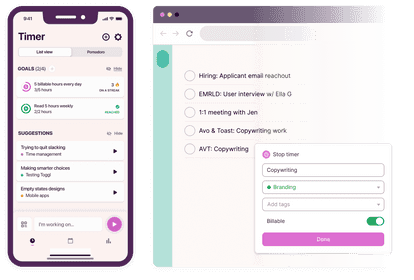
Toggl Track is the simplest and most reliable time tracking app for remote workers. Whether you’re billing clients by the hour or just want to understand where your time goes, Toggl makes tracking effortless with one-click timers and detailed reporting.
Key Features
- Timer: One-click time tracking across projects
- Reports: Detailed weekly and monthly time reports
- Billing: Billable hours tracking for freelancers
- Idle Detection: Auto-pauses when you stop working
- Integrations: Asana, Trello, Linear, GitHub, 100+ apps
- Price: Free for personal use; Starter from $9/month
Pros & Cons
- ✅ Effortless time tracking with minimal friction
- ✅ Free plan genuinely useful for solo workers
- ✅ Clear visual reports show time allocation
- ✅ Works across all platforms and browsers
- ❌ Advanced features require paid plan
- ❌ Team features get expensive for larger groups
Verdict
Toggl Track is indispensable for freelancers and anyone who needs to understand their time. Start your first day tracking time and you’ll be surprised where your hours actually go.
Final Thoughts
The best productivity apps for remote workers in 2026 work together: use Notion for your knowledge base, Todoist for daily tasks, Forest for focus sessions, Slack for team communication, and Toggl to track where your time actually goes. Start with one or two, master them, then add more. The goal is fewer tools used deeply — not more tools used poorly.